
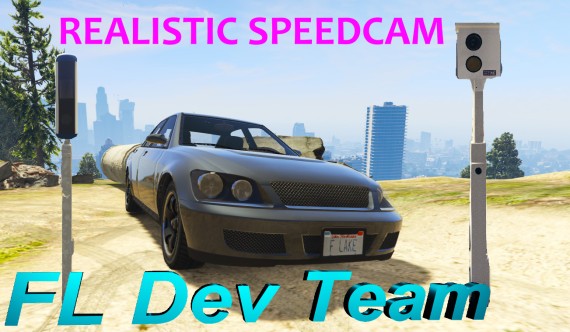
Automatic speed control reduces speeding when there are no police officers on duty. However, the role-play situations do not decrease if the police ask the drivers later to pick up over speed ticket from the police department.
Realistic Speed Cam includes:
- 2 custom camera props. Single measurement point camera (white camera) and average speed camera (blue camera)
- Realistic light effect if the driver is speeding past the camera.
- Light effect is synchronized between players. All players near the camera can see it.
- By default, the notification of speeding is sent to the police's Discord channel. The DiscordWebHook of that channel must be set in the config.lua file. The link to the instructions is in the file. Can be switched off.
- Notification of overspeed on the player's screen can be switched on.
- You can translate notification texts in the config.lua file
- Showing the location of the cameras on the map can be switched on.
- Cameras can be added or removed easily in the config.lua file. There are 28 preset points. Map changes are not required.
- The speed limit, over speed limit and the amount to be billed for speeding can be set individually for each camera.
- kmh / mph selectable.
- OneSync Infinity Ready.
- Good optimization. Normally 0.02 ms. However, 0.00 ms if the player is not in the car and 0.04 ms at the moment when the player is speeding past the camera.
- Standalone
- Possible to add self integration for automatic invoicing to esx, qbcore..
- It is possible to add the integration which checks whether the driver is at work where speeding is allowed.
- Config.lua file is free to change. All other files are encrypted by the Escrow system
Installation
- Unzip fls-speedcam.pack.zip to your server's resources folder. It should create folder fls-speedcam
- Add start fls-speedcam to your server.cfg file
- Create and add your Discord server channel webhook to config.lua file in fls-speedcam folder. More info in config.lua file
Showcase video
How to get customer role in our discord server
- Join our discord server and check the rules in channel. After that authenticate with discord before payment.
- Or join our discord server after purchase and check the rules in channel. After that use the /claim command to get customer role.
- Or join our discord server after purchase and check the rules in channel. After that make ticket.